공개
B2B / productivityhtmlreportspresentationslink sharingworkspacedocuments

Paste an HTML report, fix the text on the page, and share it by link

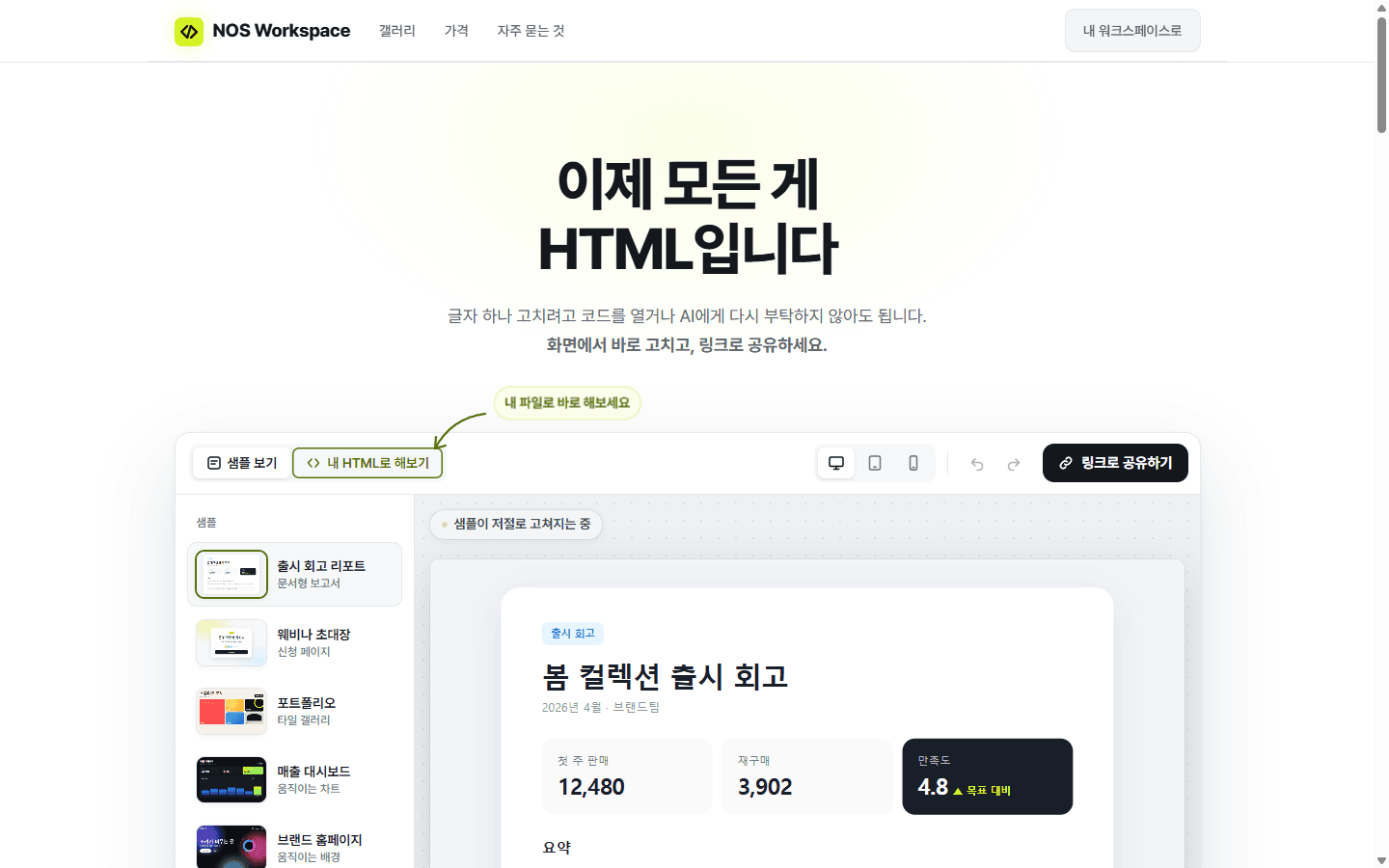
I made NOS because my company keeps a lot of internal material as HTML. Paste an HTML page, fix its text by clicking it, then sign in and save to share a link that people open without an account. Saved edits show up at the link you already sent.
이 프로젝트 공유
공식 링크를 공유하거나 런치 체크리스트를 위해 복사하세요.
정보
At my company, a lot of internal material is HTML. We needed one place to collect those HTML pages and share them with the people who need to read them, so I started building NOS. NOS is a workspace that keeps documents and HTML pages together. You paste in HTML you already have and see it rendered as a page. When a sentence needs changing, you click that text on the page and type the fix. The change is written back into the underlying HTML, so you don't have to open the code. To share a page, you sign in, save it to your workspace and send its link. The person who receives the link can open the page without an account, and you don't have to publish it as a separate website first. If you edit the page later and save, people who open the link you already sent see the updated version. You don't need to send a new link. For example, suppose you share a presentation page before a meeting, then notice a typo in a heading. You click the heading, fix it and save, and anyone who opens the same link afterward sees the corrected version. You can try pasting, editing and previewing your own HTML at https://nos-workspace.com without signing up, and sign in when you want to save and share a page.
Forge AI에 질문하기
방문자로 로그인되어 있습니다. 답변은 공개 프로젝트 세부정보만 사용합니다.

질문당 하나의 집중된 답변 — 이 프로젝트 개선, 출시, 수익화 또는 검증. 아직 저장된 것은 없습니다.

로그인하여 이 프로젝트에 대해 Forge AI에 질문하세요.

로그인
빌드 로그
업데이트, 이정표 및 변경 사항 — 공개 프로젝트에서 모든 사람이 볼 수 있습니다.

히스토리

아직 빌드 업데이트가 없습니다.

관련 프로젝트

같은 카테고리 또는 겹치는 태그.